
Vance County Criminal Docket Searches
The free North Carolina eCourts Portal is the public starting point. Its Smart Search takes a case number, party name, citation number, attorney name or bar number, business name, nickname, or case cross-reference number. Try one basic criterion first. Then pick Vance as the location. That limits results to county court records. Click an underlined case number. It opens the public Case Summary, also called the Register of Actions. Anyone can use the Vance Portal without registering. The Vance clerk remains the official-copy route.
Never trust an older event to answer a current court-date question. Instead, run Portal Search Hearings. Compare that result with Vance criminal calendars and local schedules. When Portal returns nothing, the chain runs through the clerk's terminal or paper file, a phone call, or a statutory copy request. A Portal printout helps you navigate, but it is not the official court record. If a setting stays unclear, the Vance Clerk can confirm it.
- Open Portal Smart Search and enter a case number or a name-based criterion.
- Set the location filter to Vance when a county-specific return is needed.
- Open the case number and read Case Events, hearings, and any listed disposition in date order.
- Run Search Hearings with Vance, a hearing type, a search criterion, and a current date range to verify a setting.
- Contact the Vance County Clerk of Superior Court for a paper file, terminal search, or official copy when the public view is insufficient.
Vance Criminal Case Summary Fields
The Portal's criminal Case Summary is a timeline, not a verdict. It lays out case information, assignment information, party information, Case Events, hearings, dispositions, and financial information where any applies. Case Events show when an action was recorded. For whether a date is still on the calendar, use the separate hearings feature. The summary does not answer that alone.
| Portal component | What it helps identify |
|---|---|
| Case Information | Case category, status, and identifying information. |
| Assignment Information | Applicable court, courtroom, or judicial assignment details. |
| Party Information | People indexed to the case and their roles. |
| Case Events and Hearings | Recorded procedural actions and separately searchable settings. |
| Disposition and Financial Information | Outcome information and applicable fines, fees, balances, or payments. |
The Portal publishes the public information available in an Odyssey-live county such as Vance. It does not lay out an exhaustive Vance criminal screen. Nor does it offer a local dictionary of disposition codes. Read the live record, or ask the clerk what an official case file contains. Vance joined eCourts on April 29, 2024, so Vance public cases run on Odyssey. A Portal Case Summary is a public view, not the official record.
For the court's own description of this level, see the North Carolina District Court overview. It explains what District Court handles.
District Court handles misdemeanor, infraction, and traffic matters. That is why so many Vance criminal Case Summaries concern those charges rather than felony prosecution.
Criminal Dockets: What They Show
A Vance criminal docket shows two things at once: the identifying details that locate a case, and the chronological entries that explain its progress. The system names that chronology Case Events. A future hearing, an entered disposition, and any financial information are separate pieces, so one field cannot stand in for another. Exact labels can shift depending on the case view.
| Case number | An identifier that opens the Case Summary. A number containing CR has at least one criminal offense under the state's traffic guidance. |
|---|---|
| Case information | High-level category and status information for the matter. |
| Assignment and parties | Applicable court or assignment details and the people recorded with their case roles. |
| Case Events | The dated procedural chronology, including recorded filing, setting, or disposition-related actions. |
| Hearings and disposition | Scheduled proceedings and an outcome entry, if one has been entered and is public. |
Vance has no published bond field, statute-field label, or county code list to copy from Portal materials. Read those details from the actual case view. Or ask the clerk to confirm them. Before drawing any conclusion from a Vance disposition, read the Vance Case Events and the Vance hearings together. That pairing prevents most misreadings.
Vance Criminal Hearing Searches
Search Hearings answers a date-specific question. The official order of fields is Location, Hearing Type, one Search Type, the matching criterion, Date From and Date To, then Submit. Search Type can be a case number, party name, business name, attorney name or bar number, judicial officer, or courtroom. Choosing Vance first narrows the hearing search to the local Odyssey location. Portal searches, Vance criminal calendars, and local schedules each serve a different court-date purpose.
The Vance Local Administrative Schedules page also routes readers to civil and criminal calendar channels. Treat the Portal hearing return, the Case Summary chronology, and the published calendar as related but separate sources. A later Case Event may explain why a setting changed. The clerk can confirm the next step when an online date looks shaky.
The collection of local rules and forms is posted at the Vance local rules and forms page. Check it before filing anything locally.
Those local materials are worth a look beside any case-specific hearing search. Vance criminal procedures and jury-trial orders can shape calendar practice.
Criminal Case Stages on the Docket
Case Events build the running record of a criminal case. Hearings point to scheduled proceedings. A public entry might record a filing, a setting, a hearing-related action, a disposition, or a financial action where one applies. Always read an item with its date and the entries that follow it. A past hearing entry alone does not prove a later setting was cancelled. Nor does it prove no new date exists. In short, a Vance criminal chronology can reflect a filing, a hearing, or a disposition. It will not confirm the next Vance court date.
Docket flow: Filing or charge › arraignment › pretrial setting › plea or trial › disposition › sentencing or financial action where applicable.
Two docket terms come up a lot in Vance County criminal cases. At an arraignment, the charge is read and the response is entered. A disposition is simply the closing action on a charge or case. Neither term proves guilt. Neither tells you the facts behind the entry. What you see in the public docket is all these words describe.
Vance Criminal CR and IF Codes
North Carolina traffic guidance gives Vance readers one useful clue. Look at the two-digit charging year first. If the case holds at least one criminal offense, the code that follows is CR. An infraction-only case gets IF instead. The letters mark the record type and nothing more. They say nothing about the merits of a charge or whether the matter is still pending.
- CR
- A case with at least one criminal offense.
- IF
- An infraction-only case, often relevant to traffic or regulatory matters.
- Case Event
- A dated action recorded in the Case Summary, such as a filing, hearing, order, or disposition.
- Continuance
- A postponement of a hearing or trial to a later date.
Vance publishes no docket-code dictionary of its own. Don't stretch an abbreviation past what the official case display shows. Don't stretch it past what the clerk confirms either. The statewide CR and IF convention helps you spot a Vance record type. Still, the Vance public display governs what you can actually read in any single case.
Vance County Criminal Docket Courts
Vance County splits its criminal dockets by court level, not by rival clerk offices. Under the North Carolina court structure, felonies belong in Superior Court. District Court takes misdemeanors and infractions. Traffic goes there too. Magistrates serve as District Court officers. They handle set preliminary work and certain minor matters. Every one of these trial-court files sits with the Vance County Clerk of Superior Court.
| Vance court path | Criminal docket focus | Local record channel |
|---|---|---|
| Superior Court | Felony prosecution and authorized appeals from District Court. | Portal and the Vance Clerk of Superior Court. |
| District Court | Misdemeanors, infractions, and traffic matters. | Portal and the same Vance Clerk office. |
| Magistrates | Specified preliminary and minor criminal functions. | Clerk or magistrate channel as the case requires. |
The offense level tells you which division hears the case. It doesn't change where you go for the record. Superior Court, District Court, and magistrate matters all land in the same Vance clerk structure for trial-court access. One office holds the Vance court file either way.
Vance Criminal Calendars and Clerk
A criminal calendar isn't the same thing as the Case Summary in Portal. Portal lays out the timeline for a single case and runs a separate hearing search. For the calendar layer, the North Carolina civil and criminal calendar interface links from the Vance county page. Local schedules give you a third point of reference. Put the three side by side and a past action stops looking like a current setting. In short, Vance calendar practice ties online services to Vance Clerk custody rather than naming a separate calendar custodian. When an online record needs a county-level check, call the Vance County Clerk of Superior Court at (252) 430-5100. The clerk's documented fallback covers public self-service terminal searches plus paper files kept in the county where the case was filed. The terminal can search criminal cases by defendant, case number, victim, or witness name. Note: Even when Portal gives you a public Case Summary, the clerk's office remains the Vance source for an official copy.
Access Rules for Criminal Dockets
Ordinary public Vance court records can be searched in Portal. You can also inspect them at the clerk's office during regular hours. Access has real limits, though. Sealed, confidential, sensitive, and protected records never appear in Portal. Juvenile material, unreturned criminal warrants, and protected domestic-violence data may need clerk contact. Some may need a higher authorization. Date-of-birth display is masked for the public, and Social Security number validation isn't offered.
North Carolina access rules
G.S. 7A-109 keeps clerk-maintained court records open to inspection during regular office hours unless law limits access.
G.S. 7B-3000 withholds juvenile records from public inspection except as the statute allows.
G.S. 132-1.4(k) identifies specified returned criminal process as public unless a court seals it.
The image below is associated with the juvenile-record confidentiality statute.
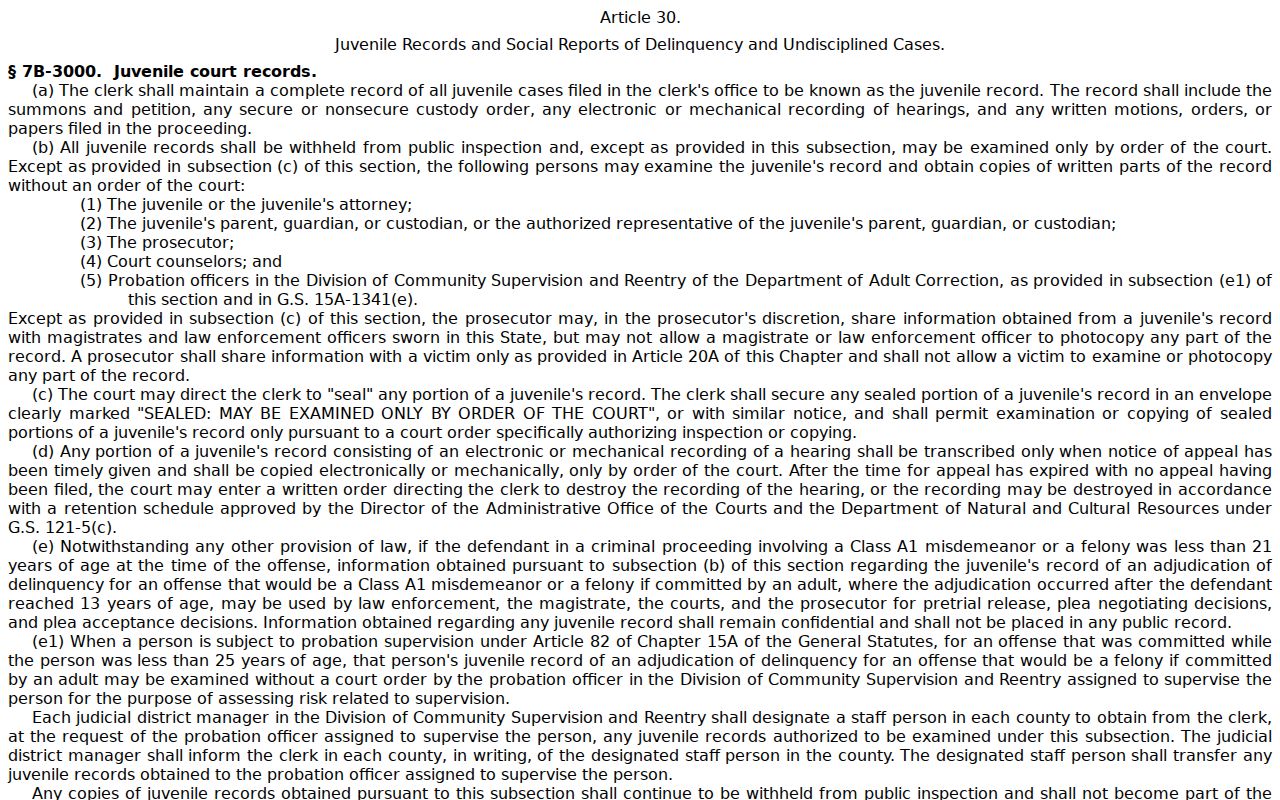
That statute is the reason a public criminal search can't be read as a complete index of every Vance case file. Some files simply stay outside public view.
Vance Criminal Portal No-Match Checks
A Vance criminal search that returns nothing doesn't prove the file is absent. Work the official troubleshooting path instead. Check the case number or name format. Confirm Vance is the selected county. Consider whether the case is restricted, sealed, confidential, sensitive, or missing from the database. An older physical file, or a need for an official copy, points back to the clerk rather than to repeated searching.
- Recheck the spelling, case number, citation number, and selected Vance location.
- Try Portal Search Hearings if the immediate question is a court date rather than a case-history result.
- Review the Vance criminal calendar and local administrative schedules for a published setting.
- Use the clerk terminal, paper-file path, or telephone channel when the online record remains unavailable.
The image below is linked to the statute on returned criminal process.
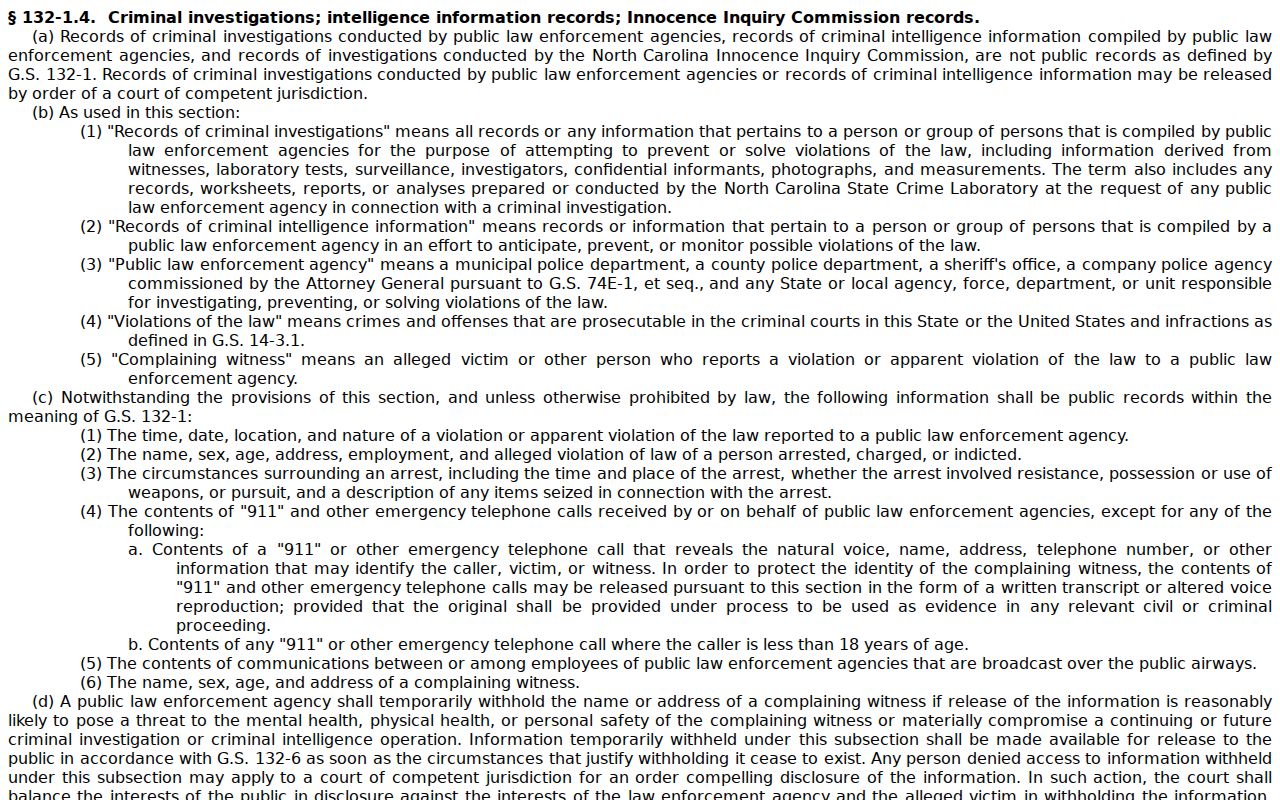
Sealing orders and other confidentiality laws limit what public-process rules can deliver. The clerk stays the right Vance contact when a record needs verification.