
Vance County Civil Docket Searches
A Vance County civil docket search usually begins at one free site. That site is the North Carolina eCourts Portal. Its Smart Search tool takes several entry points. You can enter a case number, party name, business name, citation number, attorney name or bar number, nickname, or a case cross-reference. Start with one basic criterion. Then set Location to Vance. That way you only pull the county's Odyssey records. Click a case number, and the Case Summary or Register of Actions opens. No public registration is needed. The Vance Clerk stays the route for official copies.
Read the Case Summary in date order to follow the case. For anything scheduled, run Search Hearings and check it against the local civil calendar. When a public portal record or document looks incomplete, options remain. The Vance Clerk's public terminal, paper file, telephone line, and statutory copy channel all stay open. Remember what the Portal is. It's an access tool, not the official court record.
- Open Portal Smart Search and enter a case number, party name, or business criterion.
- Filter Location to Vance after entering the basic criterion.
- Use Case Type, Case Status, and filing-date controls to narrow the result when needed.
- Open the underlined case number and read the Case Summary, Case Events, and disposition information.
- Use Search Hearings and the Vance calendar path to confirm a current setting, then contact the clerk for an official record.
Vance Civil Portal Search Filters
Smart Search filters refine a search. They cannot replace the basic criterion. Once Vance is set as the location, you can narrow results with Case Type, Case Status, or a File Date Start or End. The official guide also handles business-name searches. One quirk: when a business name contains a comma, the documented workaround is a wildcard where the comma sits, with nothing after it. For Vance civil cases, filters only sharpen a basic criterion; no advanced filter works on its own.
| Portal control | Use for a Vance civil search |
|---|---|
| Basic criterion | Start with a case number, party, business, or other supported identifier. |
| Location | Select Vance to focus the return on county records. |
| Case Type and Case Status | Narrow results after the initial criterion is entered. |
| File Date Start and End | Limit the case search to an applicable filing window. |
| Business Name | Search an entity; substitute a wildcard for a comma when the official guide calls for it. |
You do not need to register to search and view available records. Registration adds saved cases and certain elevated functions. It still cannot override a sealing order or any other access restriction.
Civil Dockets: What They Show
A Vance civil Case Summary identifies the case, its assignment, the parties, and any cause of action that applies. Case Events build the chronology. Hearings list scheduled proceedings, while Dispositions record an outcome. Financial information may show up where relevant. Keep the order in mind, because an older event does not necessarily state the current hearing date. And a public case image is never the same as a clerk-certified copy.
| Case Information | High-level case category, identifying details, and status information. |
|---|---|
| Assignment Information | Applicable court, courtroom, or assignment information. |
| Party Information | The people or entities indexed to the case and their roles. |
| Cause of Action | The claim category displayed where it applies to civil, family, probate, or mental-health matters. |
| Case Events, Hearings, and Dispositions | The public chronology, scheduled proceedings, and recorded outcome information. |
There is no Vance-specific dictionary for codes like motion, default, nonsuit, judgment, abstract, or garnishment. So read the actual public case view, or verify through the clerk's court file, rather than guessing at an abbreviation. In Vance County, the civil Case Summary, Case Events, and Hearings are separate public pieces of the same record.
Vance Civil Claims by Amount
The amount in controversy helps route a civil docket. Under G.S. 7A-243, District Court handles general civil actions at or below $25,000, and Superior Court handles actions over $25,000. Both trial divisions flow through the same channels: the Vance clerk and the Portal.
| Vance civil path | Jurisdictional reference | Record access |
|---|---|---|
| District Court | General civil actions at or below $25,000. | Portal, Vance Clerk terminal, paper file, or clerk copy request. |
| Superior Court | General civil actions above $25,000. | Portal, Vance Clerk terminal, paper file, or clerk copy request. |
| Magistrate small claims | Claims generally through $10,000 and listed possession or property matters. | Vance Clerk and magistrate court channels. |
The image below is associated with the civil-jurisdiction statute.
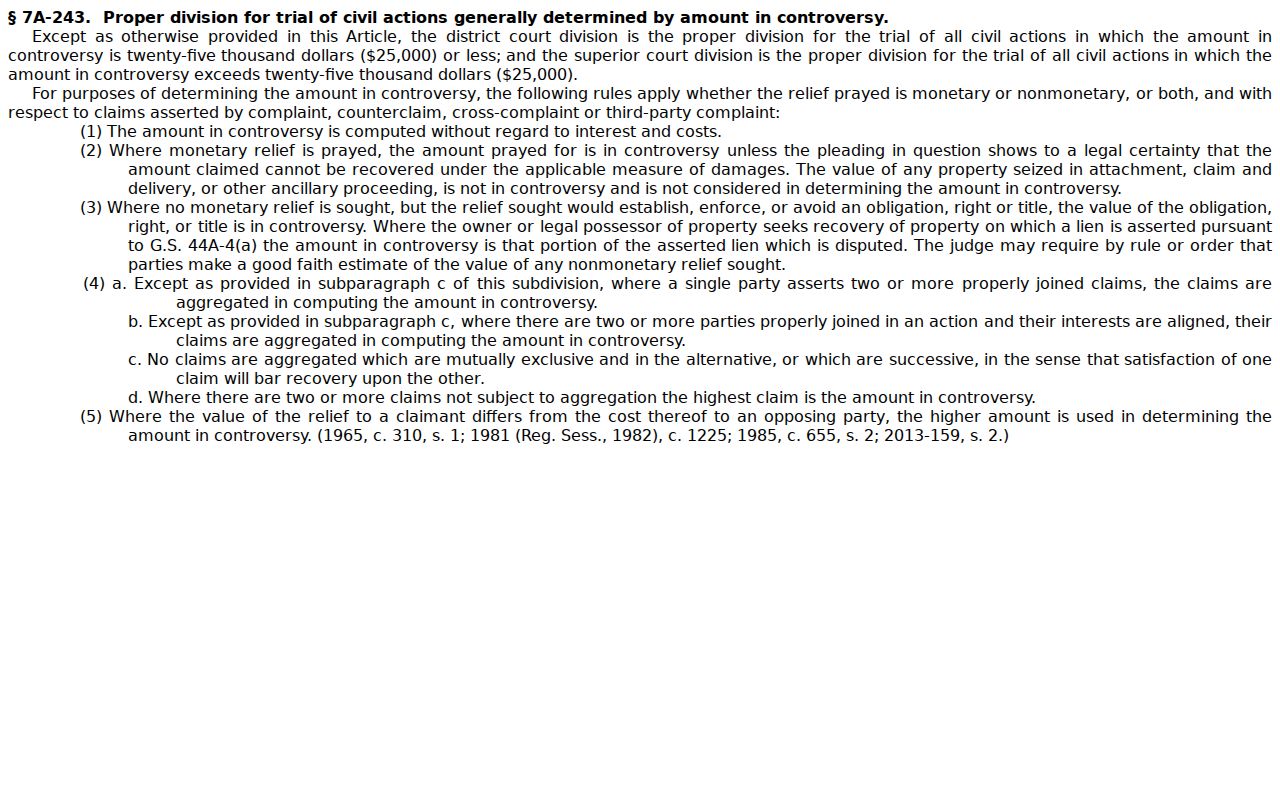
Knowing the right division helps you read a Vance County civil docket. It does not split the county's records into separate offices. Vance District Court and Vance Superior Court are simply record paths, both served by one Vance clerk office.
What Cases Fill the Civil Docket
Portal can show cause-of-action information for civil, family, probate, and mental-health matters where it applies. General civil cases often involve contracts, property, or injury claims. Domestic, juvenile, estate, and special-proceeding matters follow their own state jurisdiction rules. So read a docket's headings and public fields in light of the case type. The same label may not mean the same thing. It can differ across every Vance record. Treat the case type as your starting point. It guides how you interpret any Vance civil docket.
- General civil actions in District Court or Superior Court, divided in part by the amount in controversy.
- Small claims and listed possession or property matters before a magistrate.
- Family, probate, and mental-health matters that may carry applicable cause-of-action information.
- Special proceedings and estate records available through the clerk-office terminal when public.
Some public civil information is easy to search online. A particular case or document still answers to its case type and any restriction that applies.
Vance Civil Small Claims Docket
Magistrates serve as officers of District Court. Small claims generally reaches $10,000 under the state's description of that court. Listed possession, personal-property, and statutory lien matters may also travel that route. The practical Vance point is simple. No separate city court holds a magistrate docket. The Vance County Clerk of Superior Court stays the county's custody and access point for trial-court records. Magistrate work sits inside the same system. It shares the Vance trial-court structure and clerk. The official page comes from the North Carolina Small Claims Court explanation.
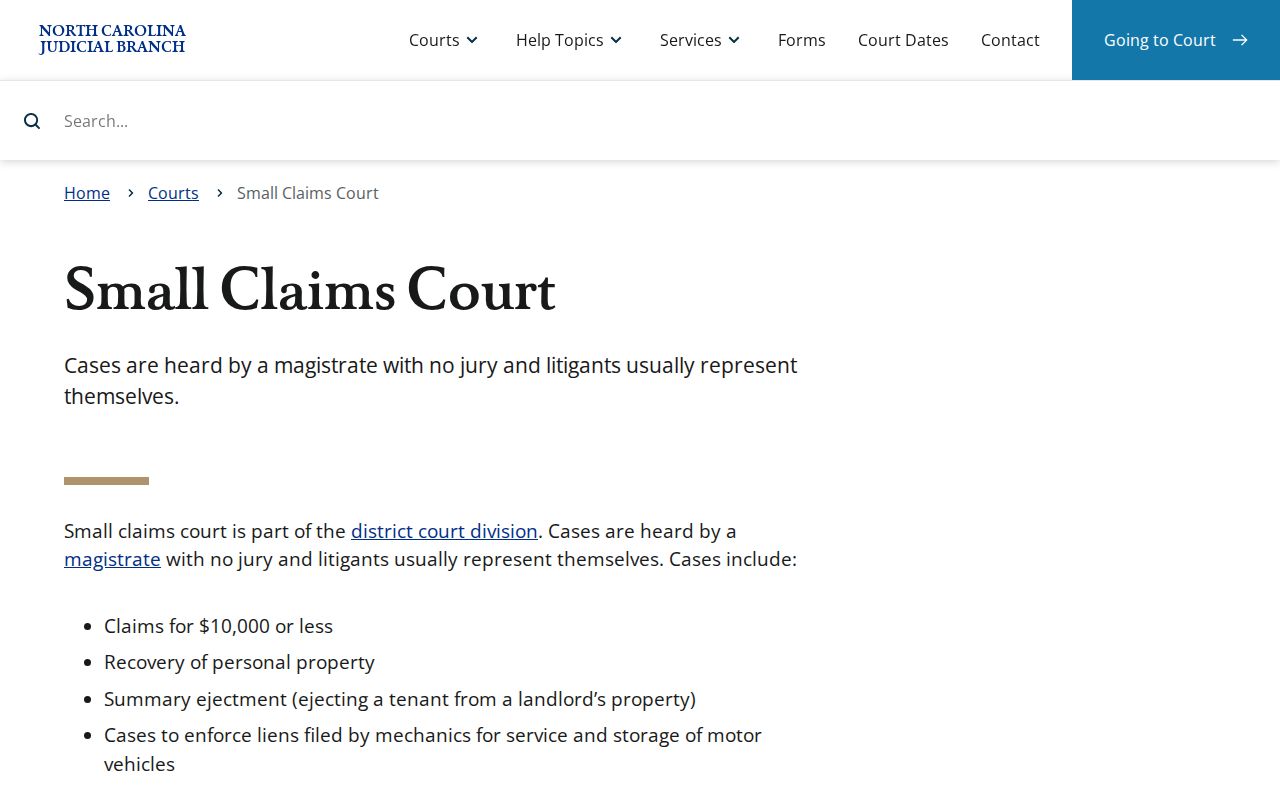
That statewide description backs up the Vance magistrate route. For the facts of a particular matter, check the live Portal record or the clerk's file.
Hearings on the Civil Docket
Never guess at a civil hearing date from one docket entry. Use Portal Search Hearings instead. Pick Vance first. Choose a Hearing Type, then a Search Type. Give the matching criterion along with a Date From and Date To range. You can search by case number, party or business name, attorney, bar number, judicial officer, or courtroom. For context, open the case's Hearings component and its Case Events.
Vance also posts civil calendar routes on its Local Administrative Schedules page. A future setting can move. One later Case Event or calendar change is enough to shift it. So re-run the hearing search with a fresh date range. Scan the newer events. Call the clerk when the date matters for an appearance. Vance Portal and Vance calendars show Vance hearings, while the Vance Clerk confirms access to a Vance file.
Vance Civil Hearing Checks
The Portal offers two searches that answer different questions. Smart Search pulls up a case's public record. Search Hearings finds a scheduled event. It uses the Vance location, a hearing type, a search criterion, and a date range. Add the North Carolina calendar interface too. The Vance local civil schedules round out the calendar context. A good date check stacks the event history against the hearing result and the calendar. The oldest notice in hand is not the safest guide. That is why Vance court-date work compares Vance events with a Vance hearing result and Vance civil calendar material.
Need a fallback? The clerk office has a public self-service terminal covering civil, special-proceeding, and estate information. Paper files stay in the clerk office of the county where they were filed. Call first. The Vance County Clerk of Superior Court takes calls at (252) 430-5100. Use that line when you must confirm a specific file, copy, or current setting.
Note: A civil setting can shift after a prior event. So a current hearing search plus clerk confirmation beats any assumption.
Who Can See Civil Dockets
Civil records the Vance clerk keeps are open for public inspection during regular office hours. A law can still limit access. Portal public users see only records and documents that are both public and available. Anything sealed, confidential, sensitive, or protected stays hidden. Personal information gets trimmed in the public interface too. The clerk can walk you through which access channel exists, but cannot unseal a record that law or order closes. In short, Vance public access follows Vance court-record restrictions. Vance Clerk staff cannot release a Vance record made confidential by law or order.
North Carolina civil access rules
G.S. 7A-109 provides for public inspection of clerk-maintained court records unless access is prohibited by law.
G.S. 1-72.1 supplies the procedure for a civil motion to seal or restrict judicial documents or proceedings.
G.S. 132-11 does not open sealed records, Social Security numbers, federally protected records, or confidential juvenile records.
The image below is associated with North Carolina's civil sealing procedure.
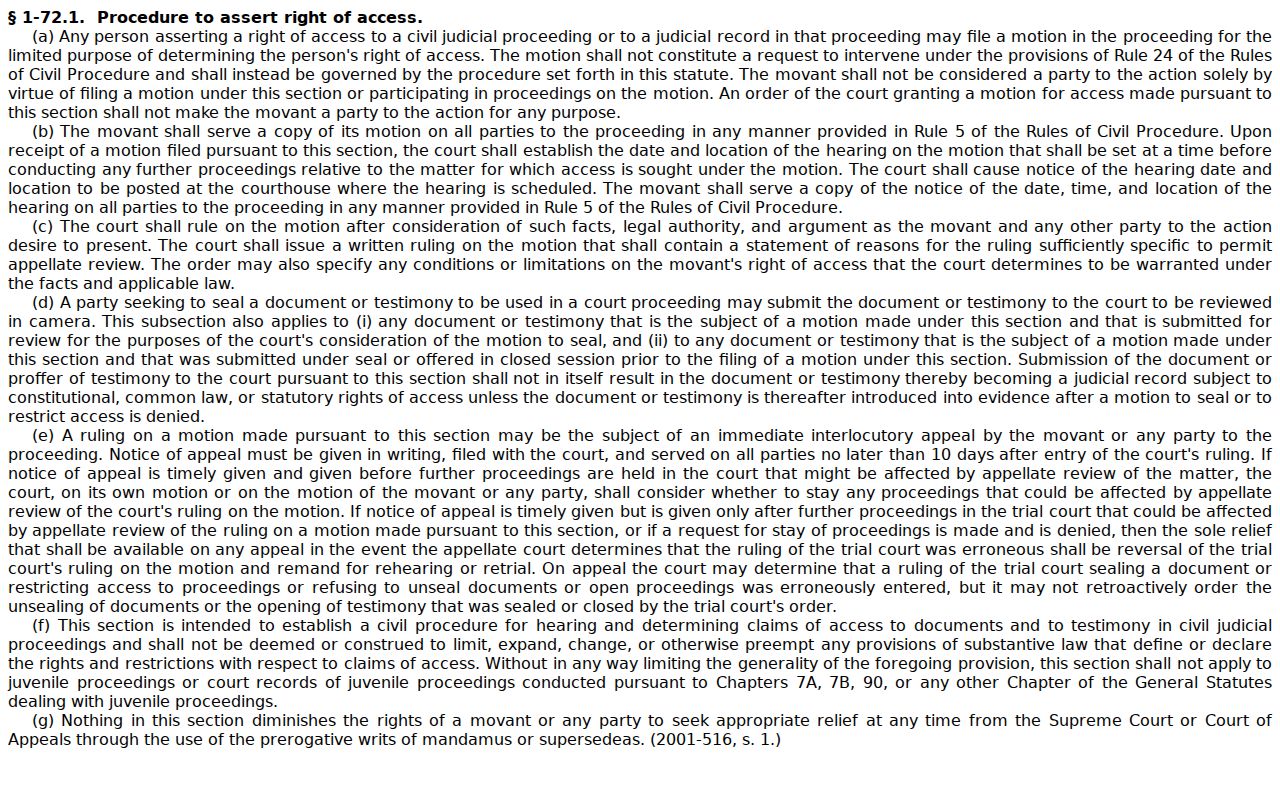
Keep that limit in mind. An accurate Vance docket search can still omit a case or document whose access is restricted.
Vance Civil Documents and Errors
A Vance civil docket search can lead you to one of three things. The first is the Case Summary, also called the Register of Actions. The second is a filed document image. The third is an official copy from the clerk. Portal shows public documents, though it lets you open or download only one file at a time. Big files bring their own trouble. The Portal FAQ warns that a large document can trigger Error Code 141011. The clerk's documented fix is simple. Ask whether the file can be split.
Timing is another matter. A public Case Summary or document image may show up in Portal within minutes of an Odyssey upload. That depends on processing load and case volume. Speed has limits, though, as a fast result is still not an official copy. It does not lift any restriction placed on that document.
Skip the statewide Judicial Branch public-record request form for anything in a Vance paper file. That form covers existing Judicial Branch administrative records only. It does not hand NCAOC custody of Vance case documents. For a paper file, a public terminal, a plain copy, or a certified copy, go to the Vance Clerk. Say what you want in the request: the Case Summary, a single document, or a certified clerk copy.
For the confidentiality rules that carve exceptions out of court-record access, see the statute on court-record confidentiality exceptions, which sets out what stays open and what does not.
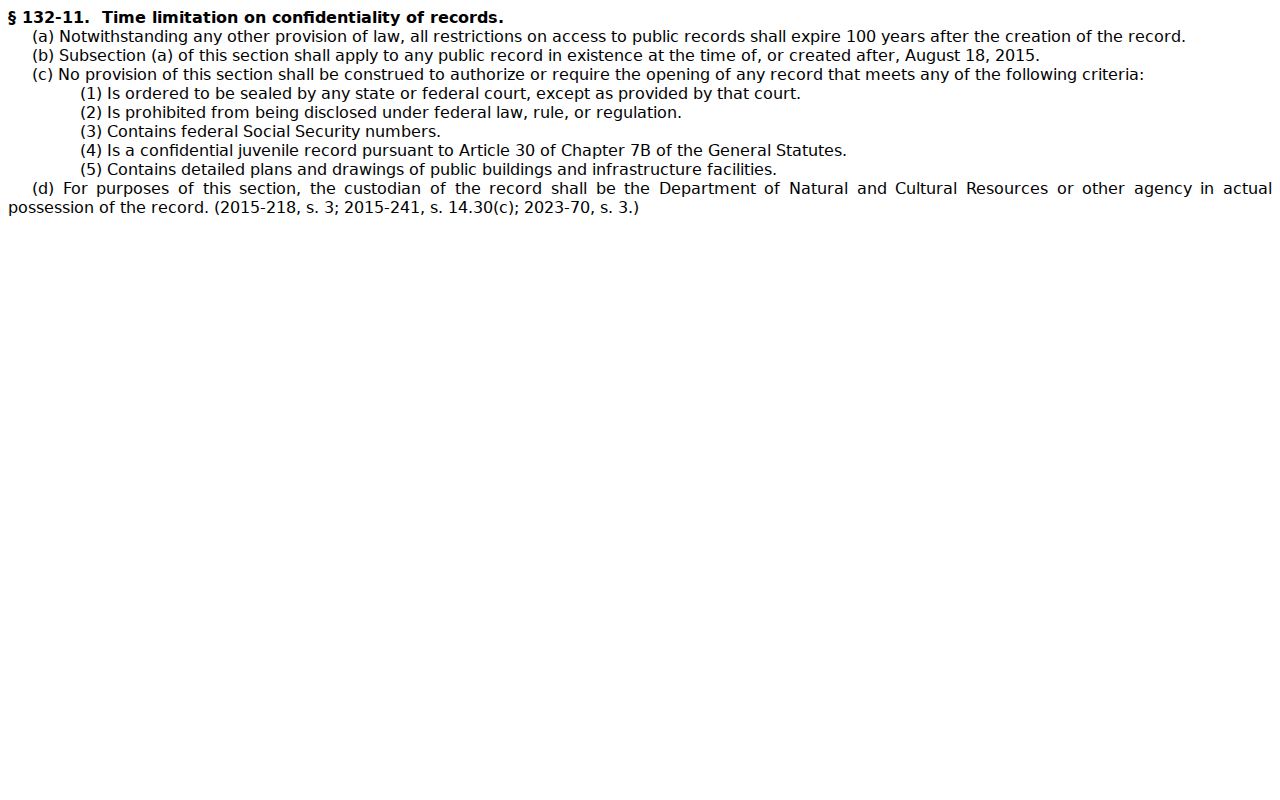
A public document that fails to open usually comes down to size or access status. The documented next step is a Vance Clerk inquiry. Bring any Vance document error to the clerk. The Vance Clerk can discuss a Vance file or a Vance copy request from there.